Case studies · Bookkeeping in Japan
Our Japanese bookkeeping, rebuilt in three and a half hours
QkSkima is a K.K. in Japan. Like every Japanese company, we need clean books: bank transactions, receipts and, every month, the files for our accountant. In one afternoon we moved this whole process to our own application, in three and a half hours. Here we show how, and prove it with timestamps.
- from the first instruction to the last test
- 3½ hrs
- from the first instruction to the last test
- changes to the accountant's format
- 0
- changes to the accountant's format
- passwords: sign-in with a passkey only
- 0
- passwords: sign-in with a passkey only
- barriers before any booking
- 3
- barriers before any booking

The starting point
Until now our bookkeeping ran on an off-the-shelf program. Every month it wrote a CSV file with the bookings, the receipts and a ZIP file into a folder. Our accountant reads this folder.
We wanted to own our bookkeeping: our own data, our own processes and an application that fits exactly how we work. At the same time, nothing could change for the accountant. And because this is bank data, the new application had to be more secure than what we had before.
The requirements
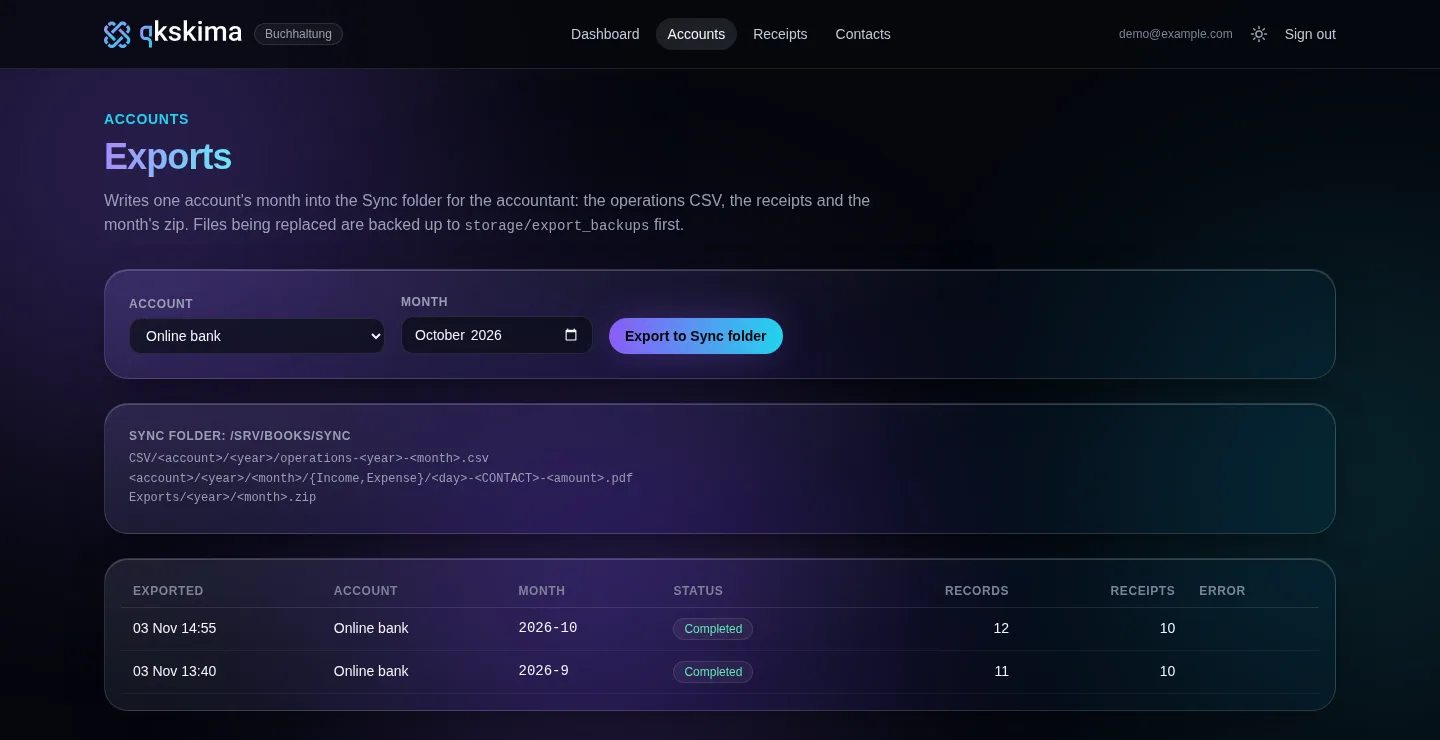
The folder stays as it is
The accountant expects a fixed folder structure, fixed file names and fixed columns. Even the categories must stay word for word the same. So the new application writes exactly the same files as the old program.
The bank statement comes in Shift_JIS
Japanese banks deliver CSV files in an older Japanese character encoding. A few characters are mapped differently depending on the variant. The application evens this out, so booking texts look exactly as they did in the old exports.
The old bookings come along
All previous bookings and receipts were taken over, with their old numbers. New bookings simply continue the count. The receipts were matched back to the right booking by their file names.
Nothing gets lost
Before an export replaces files, the application copies the old ones into a backup. Files are written completely first and then moved into place, so there is never a half-written file in the folder.
No statement is booked twice
Every booking gets a fingerprint made of date, text, amount and balance. If the same statement is imported twice, the application skips everything that is already there.
Only we get in
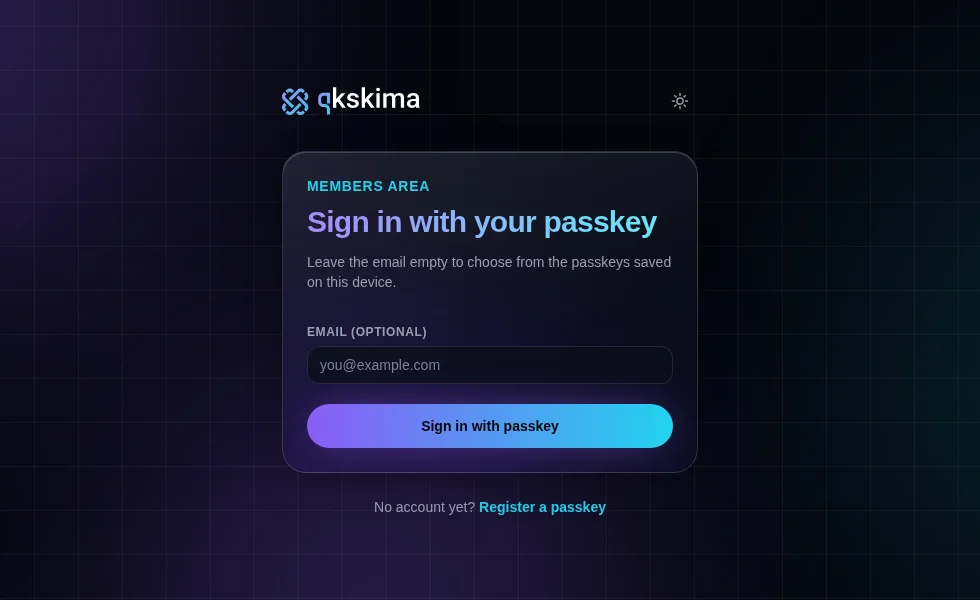
Bank data does not belong on the open internet. The application can only be reached from approved networks, and signing in needs a passkey. There are no passwords.
The proof: three and a half hours in timestamps
We are not just claiming it was fast. The file system and the log of the development session record when each file was created. These are the timestamps of 3 November 2026, Japan time.
-
2026-11-03-Buchhaltung/
Project folder created. By 11:52 the old exports and a bank statement are copied in as templates.
-
Session log, first message
Development starts: the first instruction to Claude Code.
-
Gemfile
The Rails application is created.
-
app/services/month_exporter.rb
Export in the accountant's format: CSV, receipts, ZIP file, with backup.
-
lib/ip_whitelist.rb · …_statement_importer.rb
IP whitelist and bank statement import.
-
app/controllers/sessions_controller.rb
Sign-in with a passkey only.
-
.claude/skills/resolve-contacts/
AI tools that assign missing contacts.
-
app/controllers/receipt_reviews_controller.rb
Receipt review: adding missing invoices per supplier.
-
Session log, last message
Last change. 42 tests, 0 failures.
From bank statement to accountant

-
1
Read the bank statement
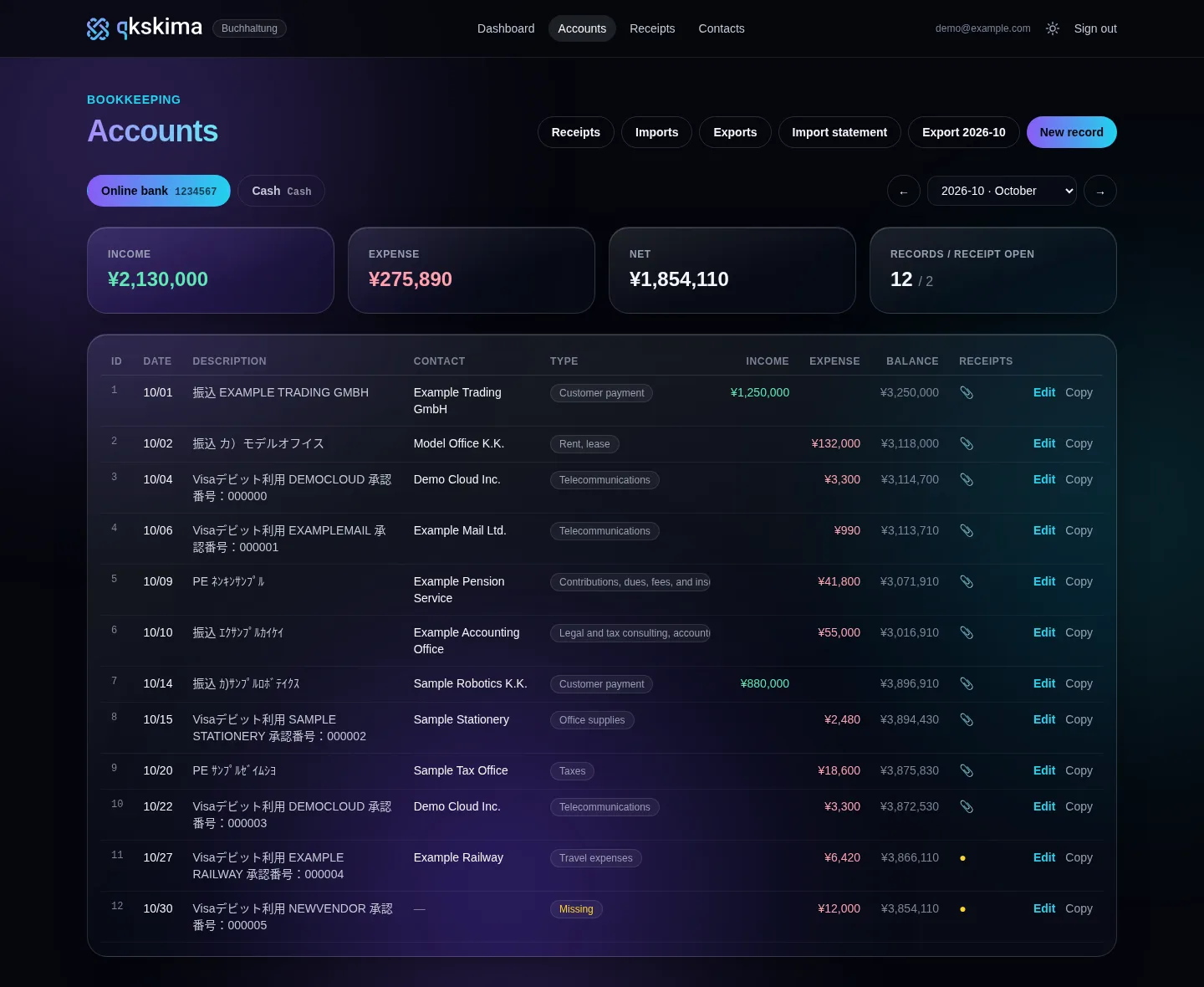
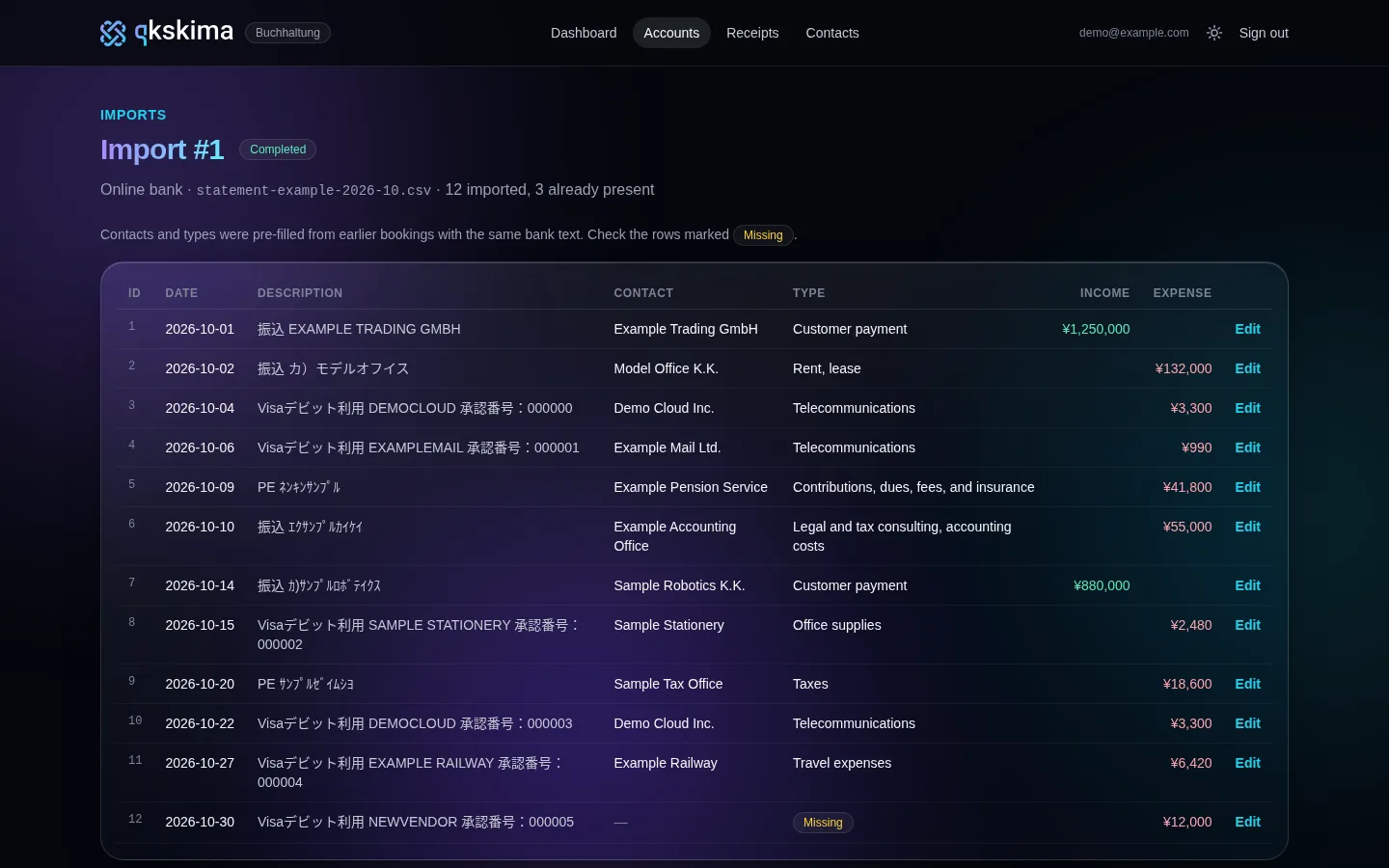
The bank's CSV file is uploaded. The application reads the Japanese encoding, creates a booking for each line and skips what is already imported. It takes the contact and category from the last booking with the same bank text, or from keywords.
-
2
Check and add receipts
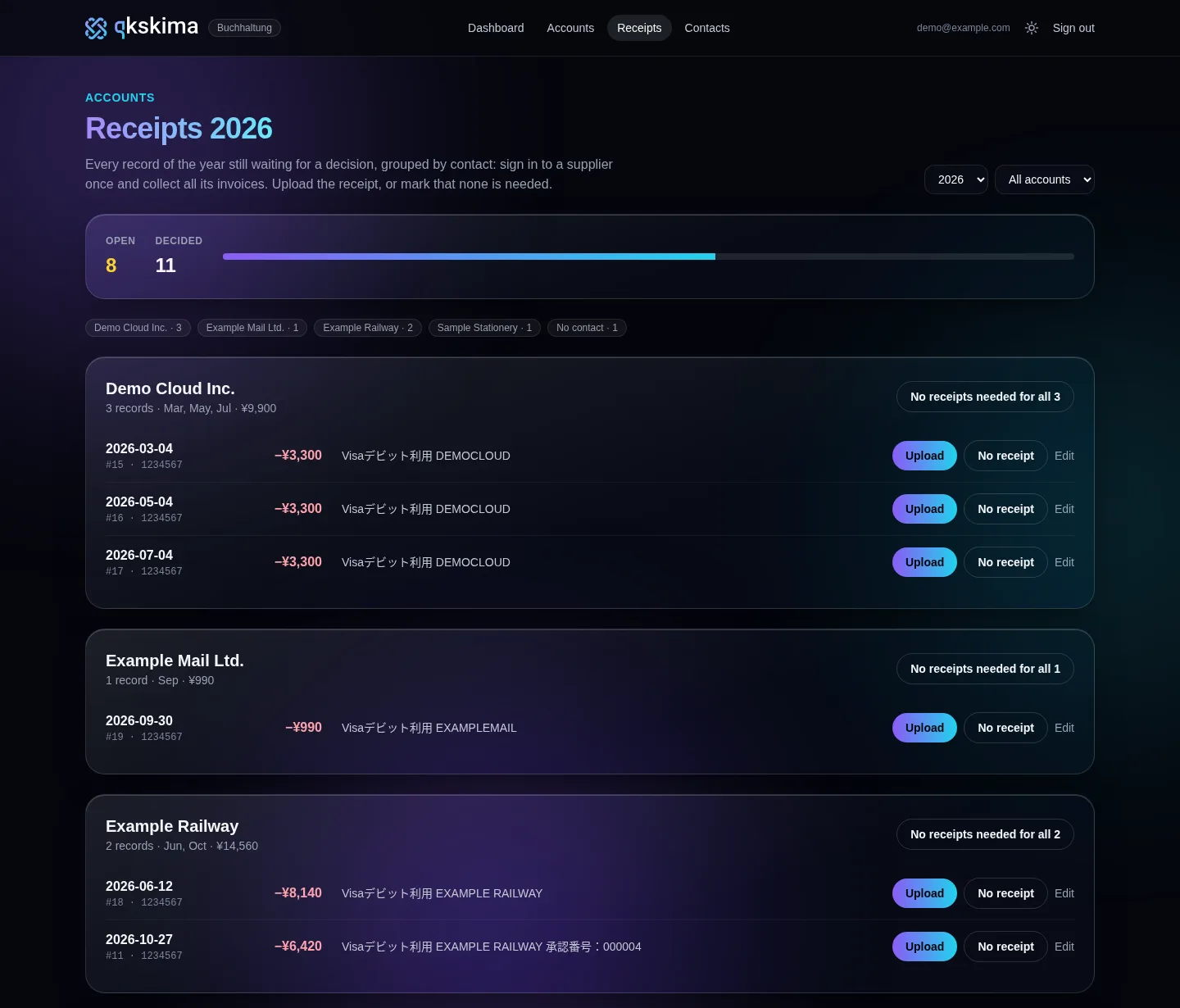
Bookings without a contact or category are marked. The receipt review shows all open bookings of a year, grouped by supplier. So you sign in to each supplier only once and upload all its invoices in one go. Where no receipt is needed, one click is enough.
-
3
Export the month
One click writes the month into the accountant's folder, exactly in the old format. Whatever gets replaced is backed up first. The accountant keeps working as before.
The application
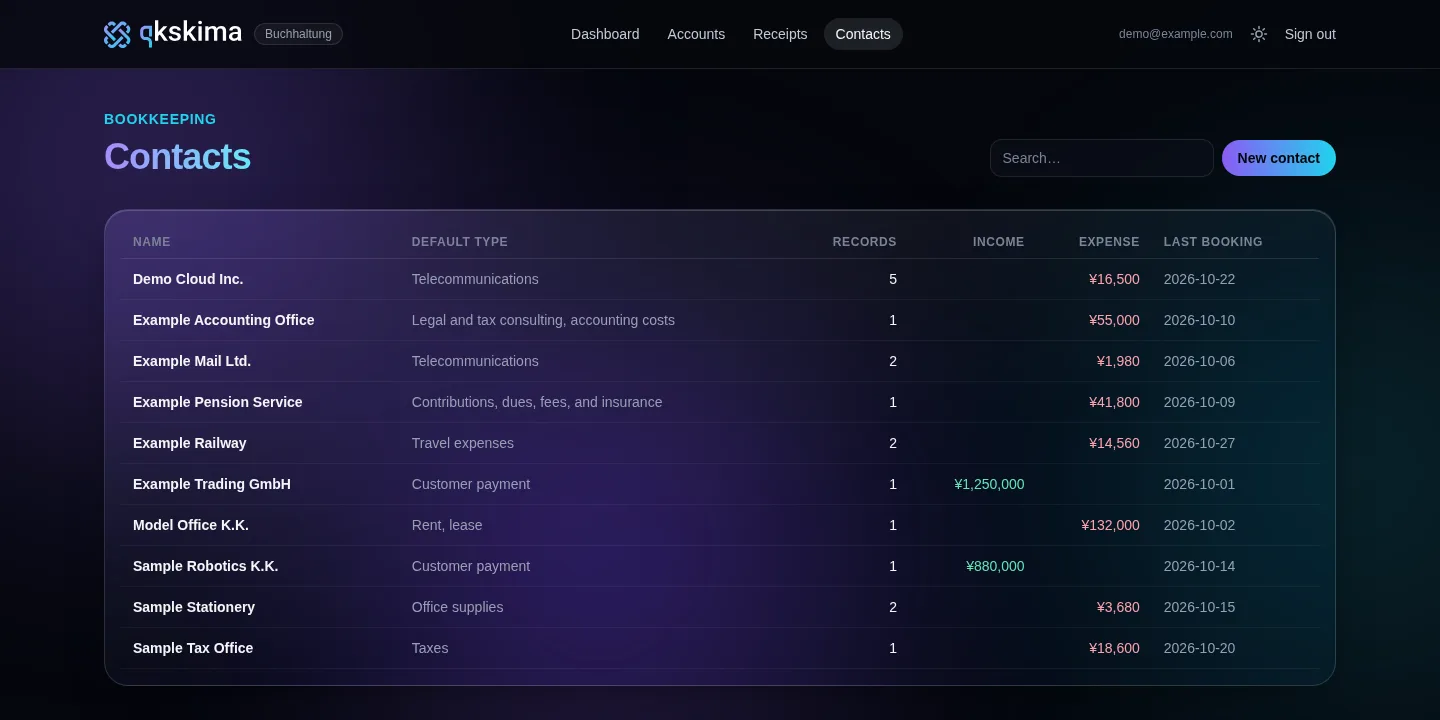
All screens show example data. Companies, amounts and account numbers are made up.
Security: three barriers before any booking
Bookkeeping contains account balances, salaries and taxes. So every request must pass three barriers before it sees a single booking.

1. IP whitelist before anything else
Even before the application itself, a barrier checks the address of every request. If it does not come from an approved network, the answer is just “Forbidden”. This applies to every page, every image and every upload. From outside, not even the sign-in page is visible.
2. Passkeys instead of passwords
Sign-in works only with passkeys (WebAuthn). The key stays on your own device and is unlocked with a fingerprint or face. It only works for exactly this address. So there is no password anyone could guess, intercept or ask for on a fake page.
3. Every account starts locked
Anyone who registers is locked at first. Only when their email address is on the approved list do they get in. If it is removed again, the account is locked at once, even in sessions that are open right now.
Plus the basics
HTTPS only, session cookies that scripts cannot read, and a brake on sign-in attempts: at most ten in three minutes.
AI where it saves time
Bank texts in Japan are often hard to read, for example half-width katakana like ヤハタゼイムシヨ (a tax office) or cryptic merchant names on card payments. For this we built two tools for Claude Code. The first assigns known contacts. The second reads the unknown bank texts, works out which company is behind them and suggests new contacts with keywords. Nothing is written until a person has approved the suggestion.
The result
- All bookkeeping runs in our own application that fits exactly how we work.
- The accountant gets the same folders and files as before. Nothing changed for them.
- All old bookings and receipts are taken over, and the numbering continues.
- Collecting receipts is faster: sign in once per supplier instead of once per booking.
- Without an approved network and a passkey, nobody gets to the data.
What this means for your company in Japan
Many European companies in Japan have the same problem on a bigger scale: the Japanese entity books in a Japanese program, the accountant wants their format, and head office wants the figures in its own system.
This is exactly the kind of transition we build: reading bank data from Japan, translating formats, matching receipts and securing everything so that only the right people have access. It often goes faster than expected when the requirements are clear up front.
Guide on this topic
Japan books in freee, head office wants group figures — and every month someone builds a spreadsheet
Read more →
Technology
- Ruby on Rails 8.1, SQLite
- Hotwire (Turbo, Stimulus)
- WebAuthn for passkeys
- Rack middleware for the IP whitelist
- Claude Code for assigning contacts
Frequently asked questions
Wouldn't an off-the-shelf program have been enough?
For many companies, yes. But we wanted to hold our own data, match the accountant's format exactly and secure access more strictly than most off-the-shelf programs allow.
Do the pictures show real data?
No. All screens come from a copy of the application with made-up companies, amounts and account numbers.
Can you do this for our company?
Yes. We build and connect systems for European companies in Japan, for example between Japanese bookkeeping, the accountant and head office. Tax advice stays with your tax accountant.